Intro
Handpainting can feel intimidating when you are starting out, but it doesn't have to be.
With this small guide I hope it will point you in the right direction and inspire you to continue to paint!
To tackle this style without getting super overwhelmed, I started by creating a simple plan of action to map out my goals.
Plan of Action
- Style - I chose a popular and often used art style which looks really pretty and fun to do!
- Subject - Deciding on what to make. Since this was my first proper study on how to do this art style, i chose something somewhat simple in both material definition and shape.
- Reference - Make sure to gather lots of references of the object you're going to be painting.
This means both shape and material references! - Asset Creation - Model the asset and prepare it for hand painting (clean topology & UVs).
- Painting - Decide on which program and method you want to paint your asset with.
I chose 3DCoat for the hand painting engine and the live sync that works between the program and Photoshop. You can also use Substance Painter or any other software that allows you to paint your mesh.
Small note: I do not have a traditional art background so i had to do some studying to learn some art and lighting fundamentals. website called artwod helped me quite a bit with this. it's a paid service, but it teaches you a lot of fundamentals and it's a fun way to learn!
Style
Art Design of World of Warcraft
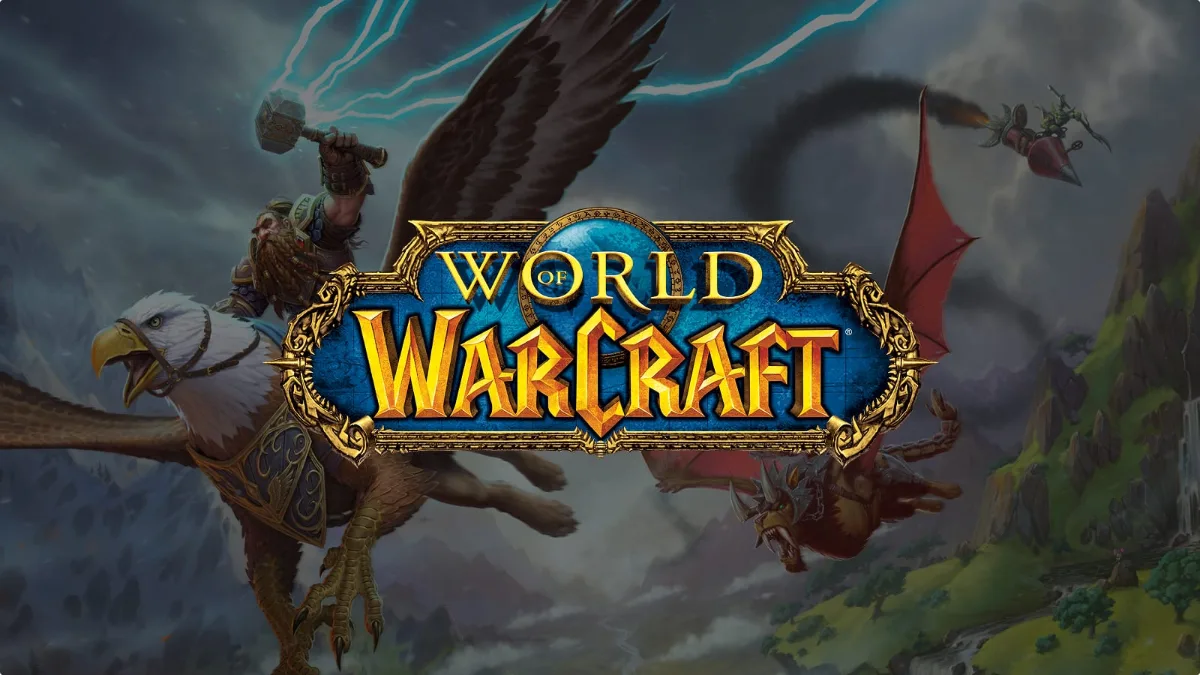
Colors are saturated, forms are exaggerated, contrasts are emphasized and the "comic book" style works to keep the overall tone of the series from becoming too serious.
Stylistically, Warcraft looks painted and crafted by hand, and this transitions through to actual game play. There is no disconnect between concept art and final assets. The work is thick and crisp and highlights are exaggerated to create contrast between forms.
You can see the brush strokes and almost feel the movement of the artists, which imparts a lot of energy and life to the artwork.
For my prop I decided to go with the World of Warcraft hand painted look. This means that all of my lighting would be painted into the model so that it will always be lit and you have more artistic control over it.
For this particular art style you want to make sure that you use angular shapes and designs. Avoid straight edges and perfectly circular shapes!
Great example can be found Here by Trent Kaniuga
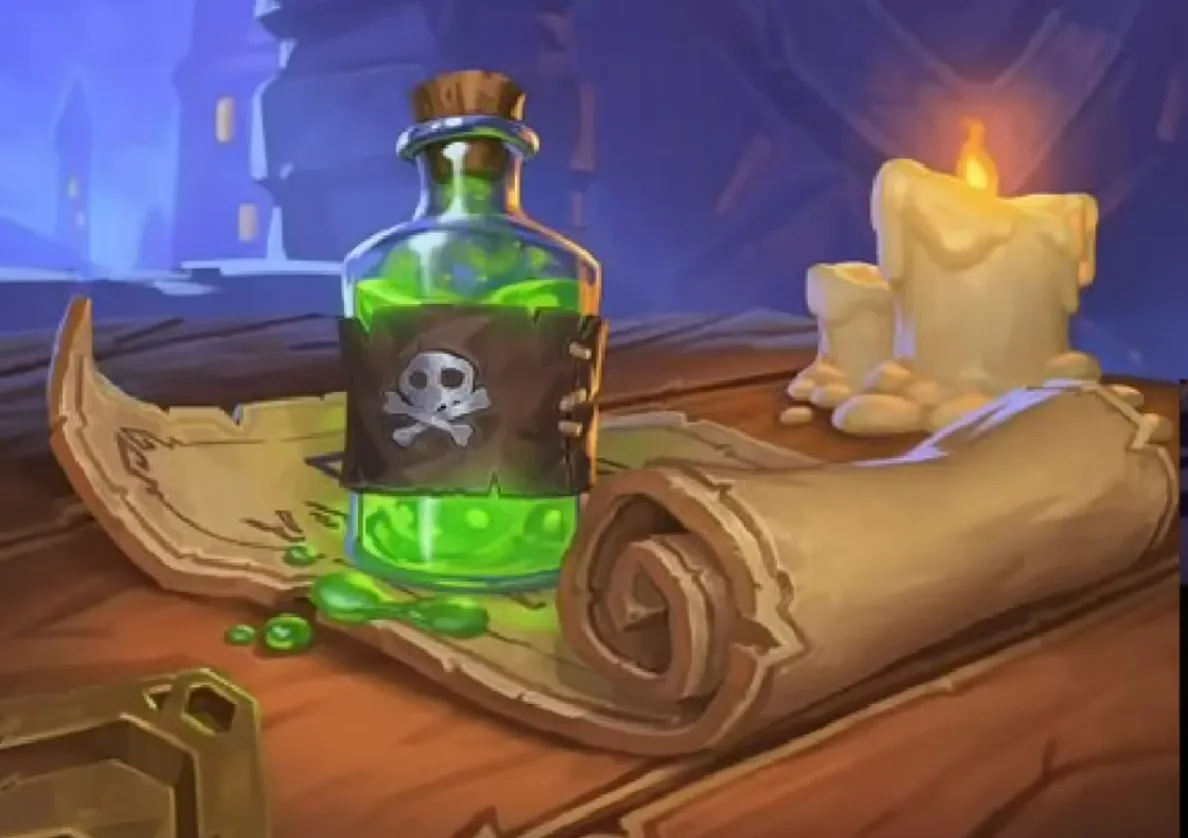
Another great example is in this picture! You can see how the map has thickness and the folded bit is chunky instead of round! Same with the bottle of poison or the candles, the shape is squeezed in the middle and flared towards the top so it has more visual interest.
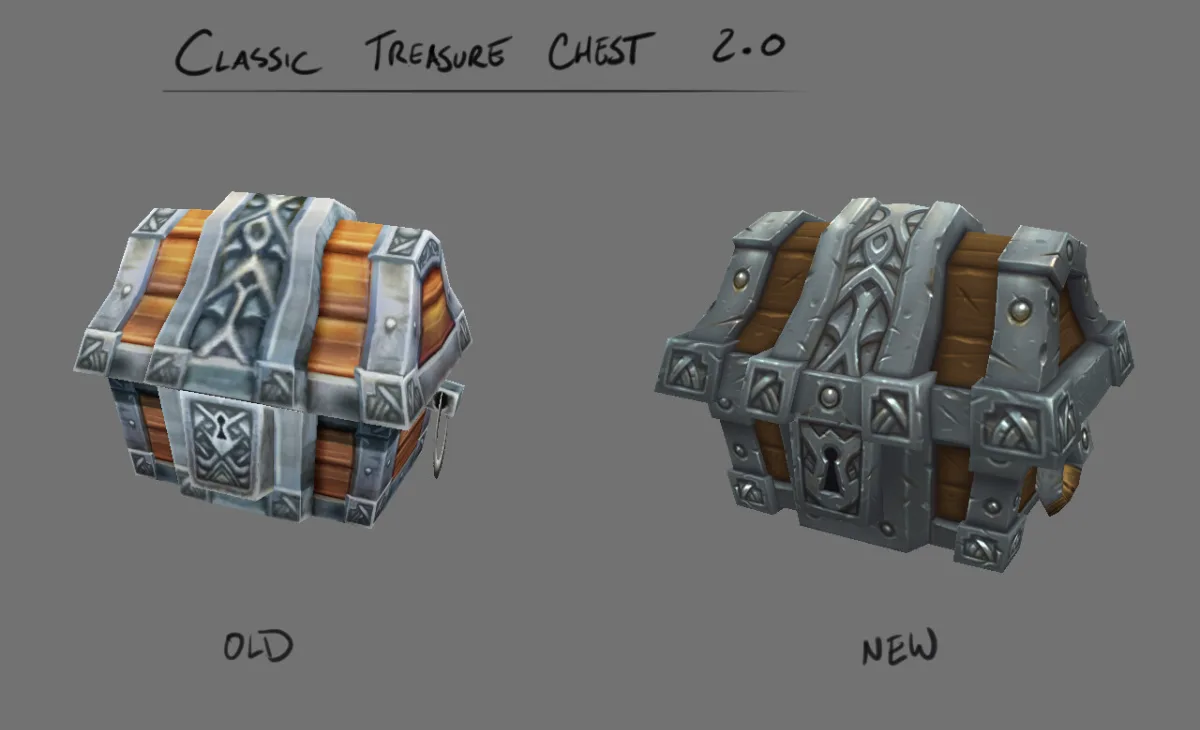
The style of World of Warcraft has also developed a lot over the years. Due to technical limitations back in the day a lot of the meshes were very simple models and textures were low resolution. This is no longer the case!
Here's a great example of how a chest used to look like in the old days compared to it's new remastered version.
Another example shown here is how a simple change can add so much more to your design! Just by rotating the cube at 45 degrees the spike already looks much more interesting!
Modeling
Things to consider
- Avoid Straight / Flat Surfaces.
Curving your surface helps to create a more appealing looking mesh. - Avoid 90 degree corners and details, try to have them at 80 degrees instead.
It looks much more appealing and more stylized that way. - Taper your shapes. This is similar to the second point, but applies to detailing.
This helps retain side details especially for tall objects. - Offset Shapes. Helps your details feel less repetitive and more interesting.
If you have something like a fence, try to move the wooden planks around so they're not all perfectly lined up. - Less repeating lines.
Adjust this depending on scale. The larger the object the more lines can be added.
Try to keep things simple and chunky!
Here are some great things to consider when creating your asset - by Phillip Zhang
Forms
Here's a few examples from ZugZugs sword course on how you can do that!
You can grab the course here! ZugZug Handpainted Weapon Course


Another example on how you can turn a simple square mesh into a more interesting shape by just rotating it a bit!


Mesh Optimization
Since we want to make sure our mesh and sanity are both optimized, we can have a look at where we can begin to add our seams and mirror details.
In World of Warcraft a lot of detail can be mirrored and it's almost never noticed unless we really pay hard attention to it.
In this example we can see how over half of the model is mirrored in different areas!
This saves a lot of time in the painting process and looks just a good!
Another example with UVs displayed so you can see how much more optimized the painting area is and how much time it can save!
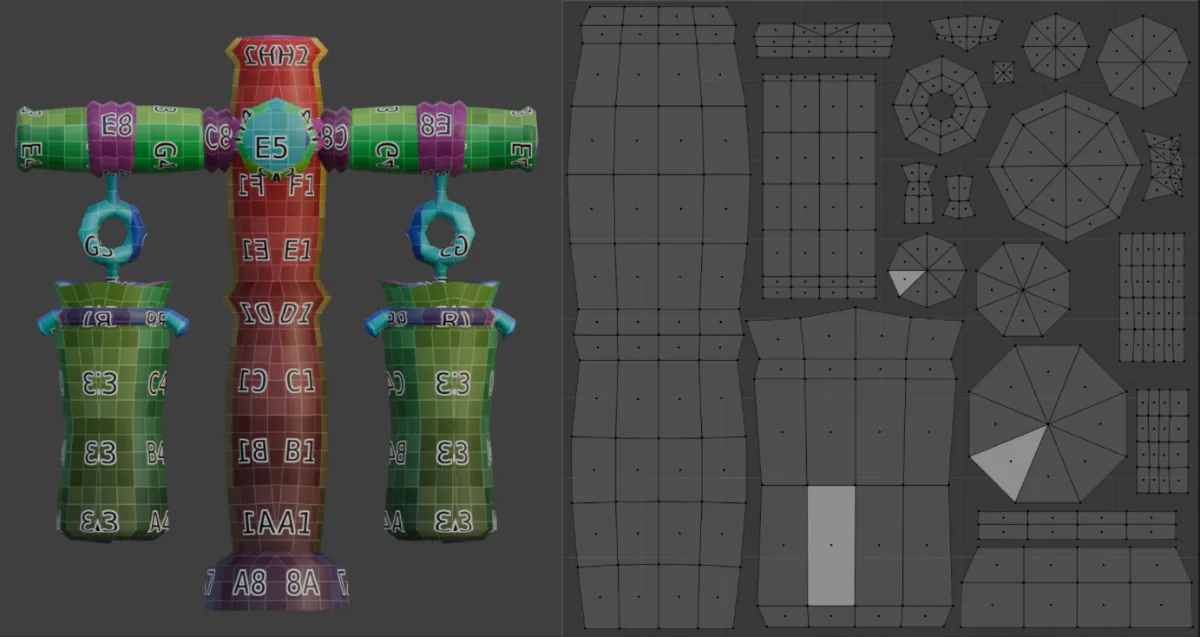
The same applies to my flamingo project underneath. I mirrored the wing and feet since they're both used twice and they're exactly the same. This saved me time from having to paint details multiple times in a row.
My Flamingo Breakdown
For my project I really wanted to create a flamingo from world of warcraft, particularly the one in the undermine zone. It's full of goblins and they love creating stuff from scrap and junk!
Here you can see I added enough geometry to help with the silhouette and nothing more.
This way each vertex plays and important role to maintain the shape of the flamingo.
One of the distinguishing features that makes stylized meshes so interesting is how they are modeled. We try to avoid straight lines or shapes that are simple and boring, instead try to add convex bumped forms. Even something as simple as a square can be turned into a much more interesting form by doing a simple change.
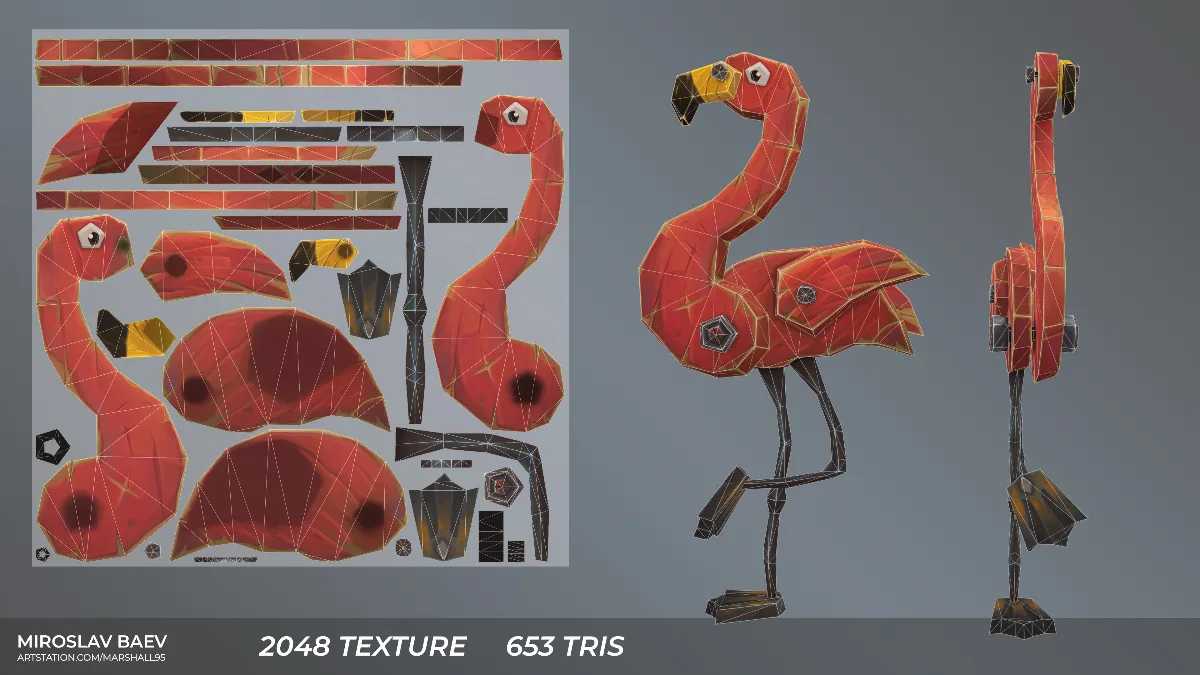
Here's a little comparison shot between the values and the final diffuse map!
Painting
For this step I used 3DCoatTextura 2025.11 - I chose this one because I wanted to focus on just painting and not dealing with any additional maps. Just pure painting!
Why 3DCoat?
- Brush Engine - The brush engine is better in 3dcoat. It's similar to Photoshop.
- Layer System - Supports traditional layer stacks, blending modes and adjustments much like 2D Painting Software.
- Built-in AO Baking - Quickly calculate ambient occlusion directly inside 3DCoat so you can easily see how to paint your mesh.
- Seamless Photoshop Integration - You can send your layer stack straight into Photoshop for editing and by saving it auto-updates all your edits back to 3DCoat, including blend modes!
- 3DCoat Textura - It's a dedicated more affordable version of 3DCoat which is specifically only for painting and texturing. I personally use this one.
3DCoat Setup
Here is a video that explains all the stuff you need to know to get started!
3DCoat Setup for Texturing
Brush Settings
Inside of 3DCoat I almost always use a hard brush for painting. Either the circle of square one since i want my details to be really visible and not have gradients as much. Almost like how Arcane tends to look like!
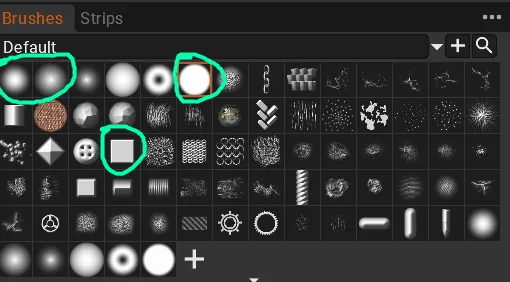
The Softer brushes on the left I mainly use for painting in highlights or ambient occlusion since those are okay to be softer.
Another thing I do is in my brush settings i toggle on "Sharp Shape" and I set my brush spacing to 1. This way it keeps a nice consistent and smooth result.
Painting
Once you've done this you're basically ready to start painting!
My recommendation is to use as many layers as you need and you can always collapse them later.
Start by laying out your base colors and then where your light would hit the object.
I prefer to work with darker colors for the base. Use the fill tool to quickly fill the object with the color of your choice.
Here is a quick step process of the stages that we go through.
Color Blends > Line Art > Highlights > Color Detail Refinement > Reflections and Polishing
I've attached a video here that shows this process and is what I used to learn when I started this style!
Earthen Dwarven Chest by ZugZug
Use subtle color temperature instead of just black and white. For example, painting soft, warm highlights on top of surfaces, and deep, cool tones (like subtle blues or purples) in the bottom overcast shadows to keep the assets looking vibrant and full of color!
Lighting Techniques
Overcast lighting
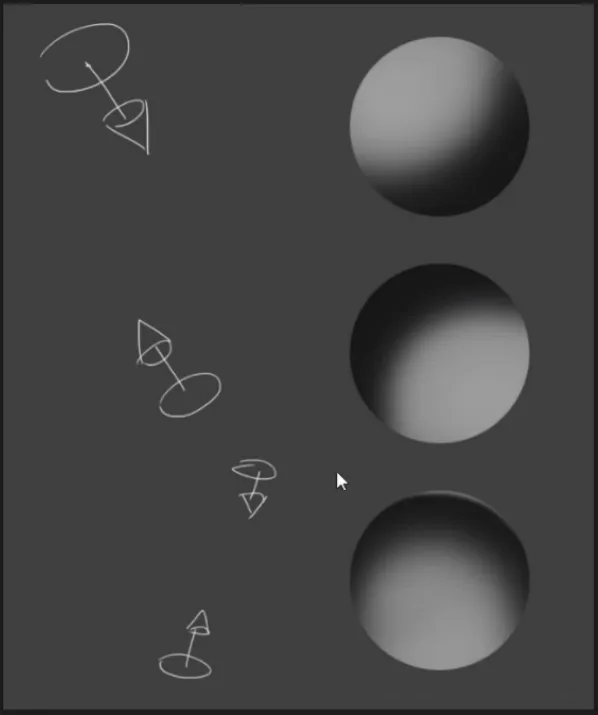
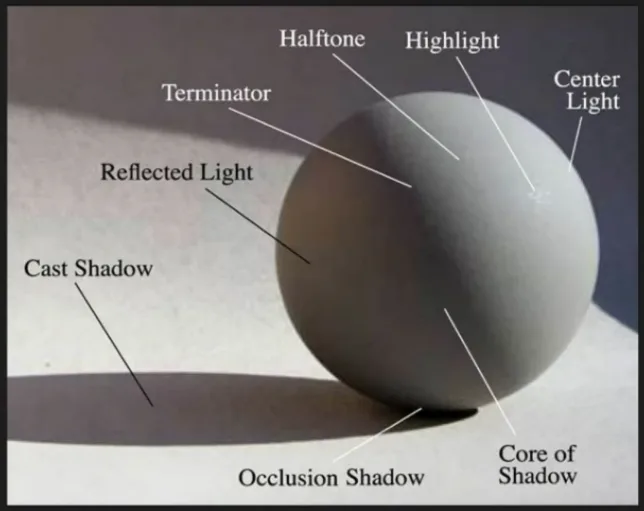
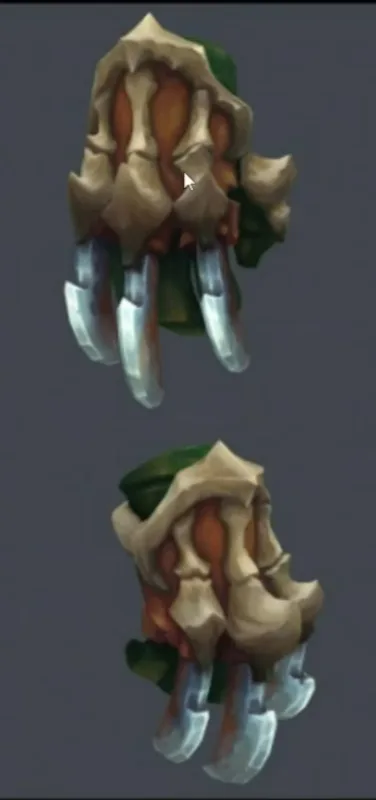
Additional lighting
Whenever you decide to paint in runes, crystals or any other object that produces light, do not forget to bleed the colors into the surrounding areas as well. This will really sell the effect and make all the difference at the end!


Thank you
Now it's YOUR turn to make something cool!
Make a cool crate, iron shield or a potion bottle in this style and drop some pictures in The DiNusty Empire
Resources
ZugZug
Focus: traditional stylized handpainting
Nhance
Focus: PBR stylized handpainting
Vsquad
Focus: traditional and PBR handpainting
Vsquad teaches both approaches, which makes it useful for comparing them side by side before committing to one. It also suits developers who already know one approach and want to pick up the other.
Philip Zhang
Focus: Art fundamentals and light theory
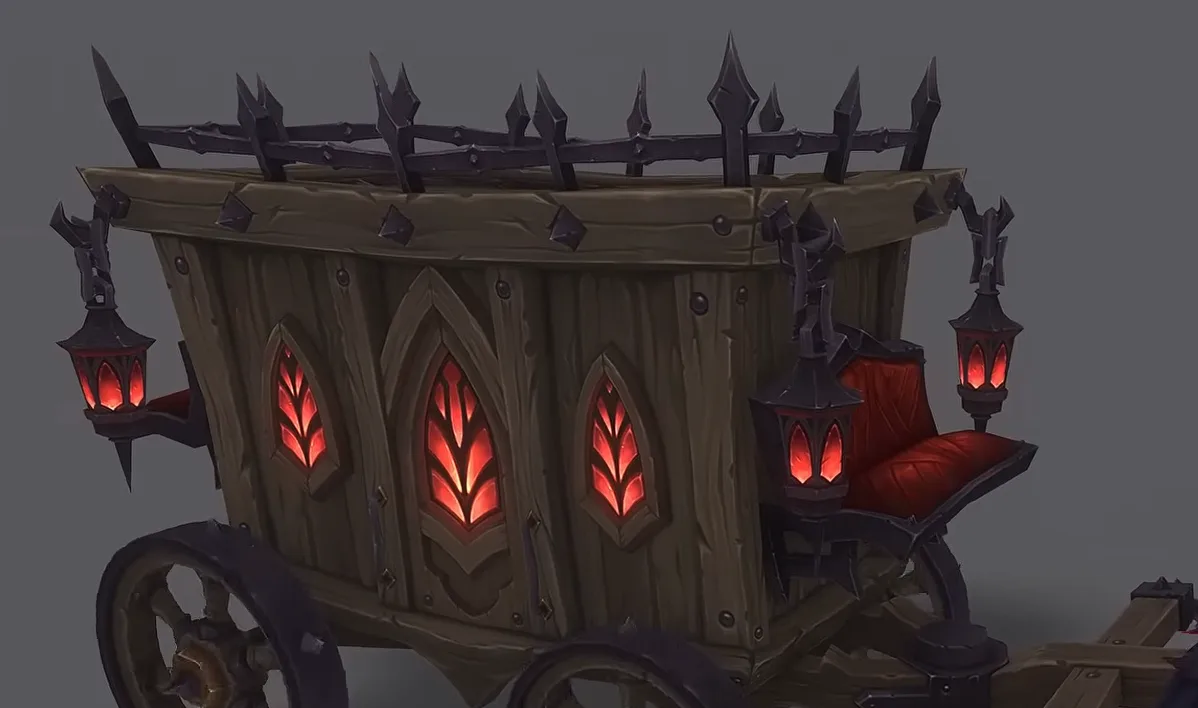
Handpainting means painting light by hand, so light theory sits under everything else on this list. Watch this one early. A texture painted with a solid understanding of how light wraps a form reads correctly even with rough brushwork.
Trent Kaniuga
Focus: Blizzard style fundamentals
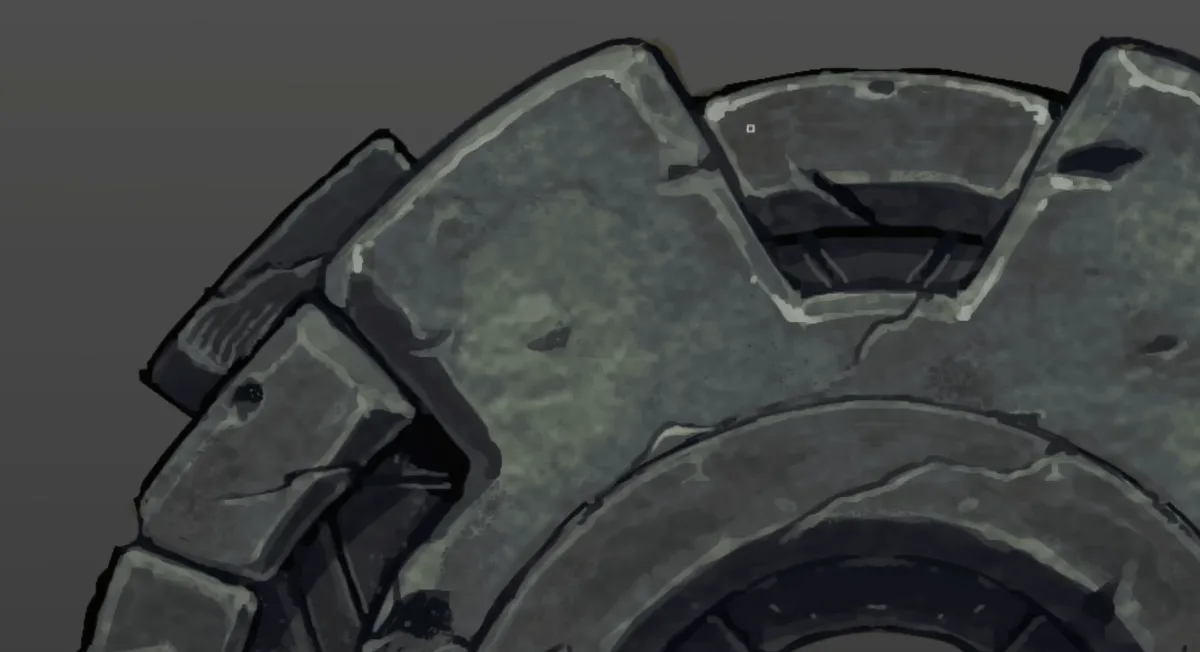
A breakdown of the shape and design thinking behind the Blizzard look. It pairs well with the style rule further down, and it helps to watch before modeling anything, since the style starts with the shapes and not the paint.
Hart
Focus: generalist and PBR handpainting
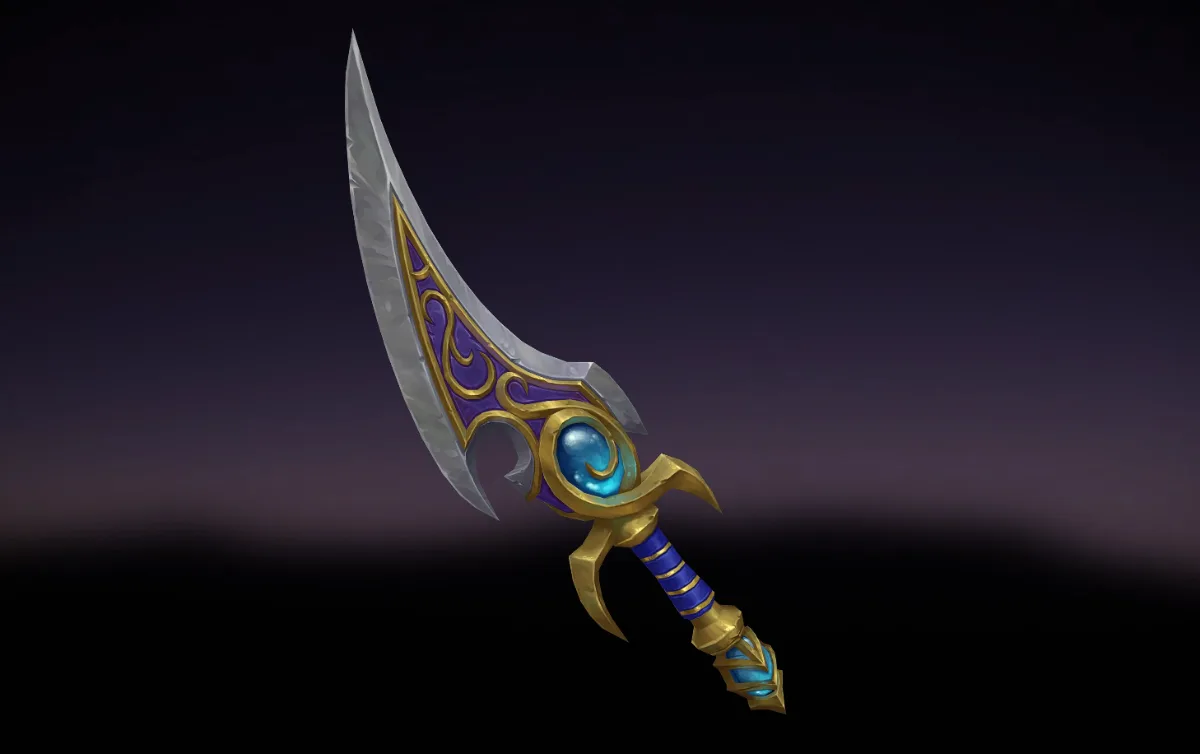
Hart comes at PBR handpainting from a generalist angle, so the texturing sits inside the wider process of making an asset. Worth watching alongside Nhance for a second take on the same approach.
Tarmunds Tavern
Focus: technical art and VFX
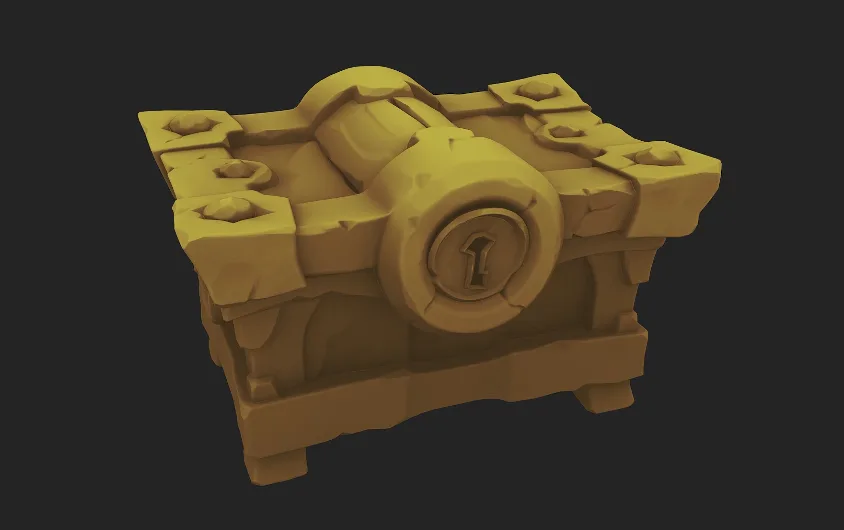
The technical side of stylized work. Come here once the textures look right and the next question becomes how they behave in engine, or how to build the effects around them.
Tips
Where to Get Feedback
Tutorials only go so far. Posting work in progress and getting notes from people who paint in the style speeds things up more than any single video. These Discord communities all give feedback:
- Dinusty Empire
- ZugZug
- Nhance
- Vsquad
- Tarmunds Tavern
Resources and tips supplied by Miroslav